
Buying guides
CCTV Junction Box: When You Need One and Which to Fit
A junction box shelters cable joints and gives a camera a neat base. Match it to the camera's mounting base, then fit it with the cable entry sealed.
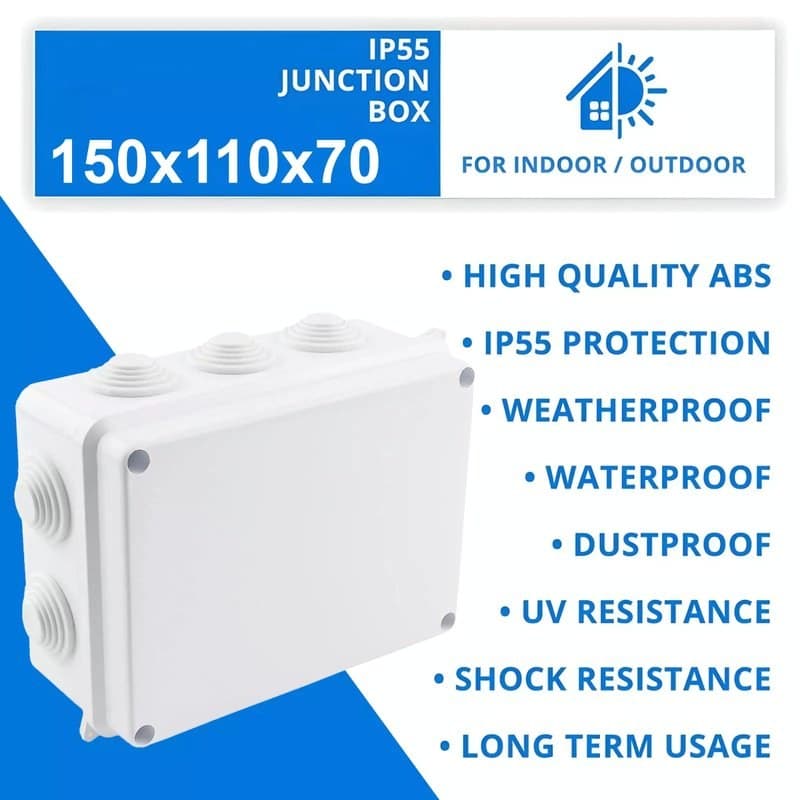
A CCTV junction box is a small enclosure that protects the place where a camera's cable meets its connectors, and some also act as the base the camera fixes to. You need one whenever a cable joint or plug would otherwise sit exposed outdoors, or when a camera is going on a wall or soffit and the cable has nowhere neat to go. To choose, match the box to the camera's mounting base first, then to where it will be fitted.
What a junction box does
Cameras arrive with a short tail of cable and connectors. Left in the open, those joins collect rain, spiders and dirt, and a wet connector is one of the most common reasons for a picture that drops out. A junction box gives the connections a sealed space of their own. It also hides the cable, so the install looks tidy, and it gives the camera a flat, solid base on uneven brick or timber.
Two kinds of box
Camera base boxes are made to sit behind a particular style of camera. The camera's own base pattern has to line up with the box, so these are chosen by camera type: bullet, dome or turret. We list aluminium Hikvision boxes for each, such as the DS-1280ZJ-XS-B for mini bullet cameras, the DS-1280ZJ-M for dome cameras, which the listing rates for a load of up to 4.5kg, and the DS-1280ZJ-TR13-W for turret cameras, about 110mm across and 48mm high. For the bullet-camera version, see the DS-1280ZJ-S page.
General enclosures are plain boxes that hold a cable joint away from the camera, for example where a power lead meets an extension or where a network cable is joined. The IP55 PVC junction box, 150 x 110 x 70mm is one: its listing says the IP55 rating protects against dust and water spray, and that you create the cable entry points yourself to suit the job. Other sizes are in the camera bracket and junction box category.
How to choose
- Start with the camera's base. Check the camera datasheet or the box it came in for the junction box it lists. If it names a model, buy that one. A box that does not match the base will not sit flush.
- Decide where it goes. Wall and ceiling fixings both suit the aluminium camera boxes in our listings. Check the listing for the surface it is meant for.
- Check the space inside. Count the connectors you need to hide: a power plug, a network joint, perhaps a video balun. Choose a general enclosure large enough to hold them without bending the cable hard.
- Check the rating. Only rely on a weather rating when the listing states one, as the IP55 box does. Where it does not, treat the box as shelter, not as a sealed enclosure.
Fitting it in plain steps
- Mark and drill the fixing holes on a solid surface and fit wall plugs.
- Pull the cable through the entry point before you fix the box, leaving enough slack to make the connections.
- Fix the box and make the cable joints inside it, with nothing under strain.
- Seal the cable entry. Where a cable enters from the top or side outdoors, form a drip loop first so water runs off before it reaches the opening. That is general good practice, not a product specification.
- Fit the camera and close the box.
Mistakes to avoid
The commonest fault is water that runs down the cable and straight into the box. A drip loop and a snug, sealed entry stop it. The next is an unsealed gland or an oversized hole cut in a general enclosure: use the smallest opening that lets the cable through, and close any gap. Do not leave a joint outside the box just because there was no room; choose a larger box instead. Finally, do not force a camera onto a box with the wrong base pattern, because the fixing will not hold evenly.
Cable and connectors
The box protects the join, but the cable itself still has to be right for outdoor use. Browse wire and cable for external-grade runs, and connectors for the plugs and joiners that go inside the box.