
Buying guides
What Is PoE? The Voltage and Power a PoE Camera Needs
PoE sends power and data down one network cable. See what voltage a PoE camera uses and how to match a switch to your cameras.
PoE, or Power over Ethernet, sends a camera's power and its video data down the same network cable, so an IP camera needs no separate power adapter. The switch or recorder at the other end supplies the power, and our Hikvision PoE switches supply IEEE 802.3af and 802.3at. A camera can also run from a separate DC adapter instead. The sections below show how to match a PoE switch to your cameras.
What PoE does for a camera
A normal IP camera needs two things: a data connection and power. With PoE both travel on one network cable, so you pull one cable per camera instead of a network cable plus a power lead. The feature is standardised by the IEEE as 802.3af, with 802.3at for higher power. The switch or recorder that supplies the power is the source, and the camera is the device it powers.
What voltage does a PoE camera use?
You do not set the voltage yourself. A PoE switch supplies a higher voltage on the cable and the camera's own power circuit steps it down, so the camera needs no adapter. The voltage used for PoE is higher than a camera's own circuits need, which is why the camera has a power circuit built in. Do not feed a plug-in adapter into the network port, and do not try to power a camera's separate DC input from a PoE switch: they are two different inputs. Always read the camera's own datasheet, because models differ.
802.3af and 802.3at: how much power per port
The wattage a port can give is what limits which cameras it can run. Our Hikvision PoE switches support both IEEE 802.3af and 802.3at and deliver up to 30 W per port, so they cover most IP cameras. Check each camera's maximum power on its datasheet and make sure it is under what the port provides. The difference between the two standards in detail is a topic of its own, and we cover it separately.
Match the switch to your cameras
Every switch also has a total PoE power budget, shared between all its ports. Add up the maximum wattage of each camera you plan to connect, and keep the total below the budget. For example, multiply one camera's maximum draw by the number of cameras of that model, then add the other cameras. Use the camera datasheet figure, not an estimate. Allow room for extra cameras later.
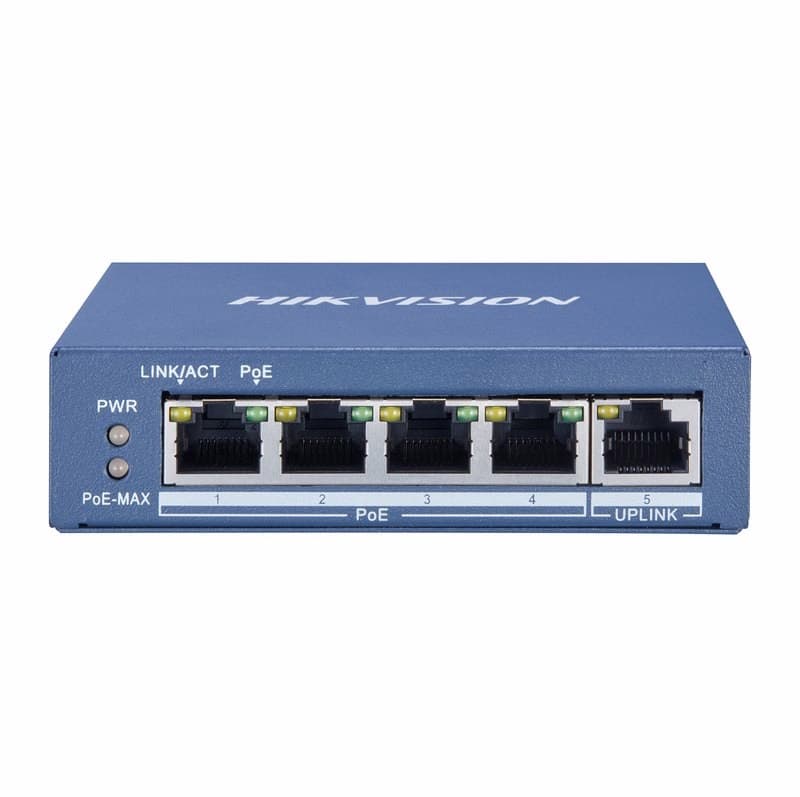
- Up to four cameras. The Hikvision DS-3E0505P-E 4-port Gigabit PoE switch has four PoE ports plus an uplink and a total PoE budget of up to 60 W.
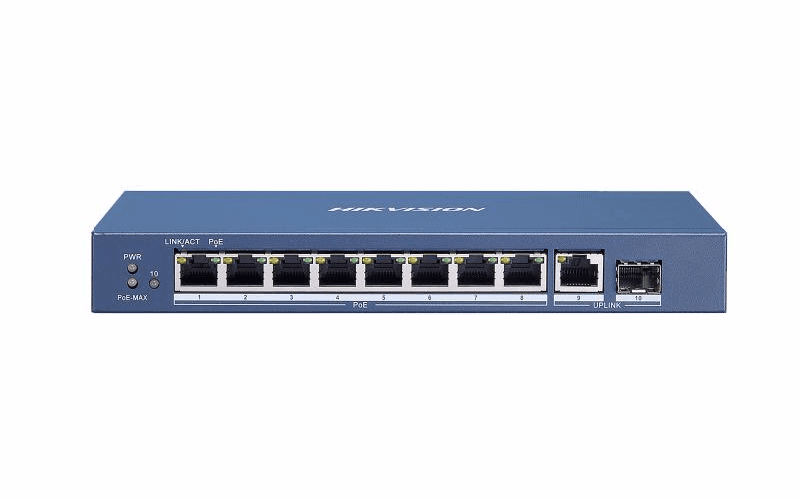
- Five to eight cameras. The Hikvision DS-3E0510P-E 8-port Gigabit PoE switch has eight PoE ports and a total budget of approximately 110 W.
- More cameras. The Gigabit Hikvision DS-3E0518P-E (16-port) has a total budget of approximately 230 W and the DS-3E0526P-E (24-port) approximately 370 W.
Browse all of them in PoE Switches, or narrow by port count: 4-port and 8-port.
Check before you buy
- The camera's PoE standard on its datasheet (802.3af or 802.3at) is supported by the switch.
- The total of your cameras' maximum draws is under the switch's total PoE budget.
- You have one network port free for the recorder or network, as these switches have an uplink port.
- A camera that only has a DC power input needs its own power supply; it will not run from PoE.
Parts named here
- Part number DS-3E0505P-EHikvision DS-3E0505P-E 4-Port Gigabit PoE Unmanaged Switch, 60W PoE Budget
- Part number DS-3E0510P-EHikvision DS-3E0510P-E 8-Port Gigabit PoE Switch for IP Cameras, 110W Power Budget
Frequently asked questions
What voltage does a PoE camera use?
The switch supplies a higher voltage over the network cable and the camera's power circuit steps it down, so you do not set it. Check the PoE standard and maximum power on the camera's own datasheet.
Can I power a camera that only has a DC input from a PoE switch?
No. A camera with only a DC power input needs a plug-in supply. A PoE switch powers cameras that have a PoE input.
How do I know a switch has enough power?
Add up each camera's maximum power from its datasheet and keep the total under the switch's total PoE budget.
Part types on this subject
- PoE
- PoE camera voltage
- 802.3af
- 802.3at
- PoE switch
Written by
CCTV Gear team