
Buying guides
PoE Splitter for CCTV: What It Does and When You Need One
A PoE splitter gives a 12 V, 9 V or 5 V camera power and data from one PoE cable. Learn when you need one and what to check first.
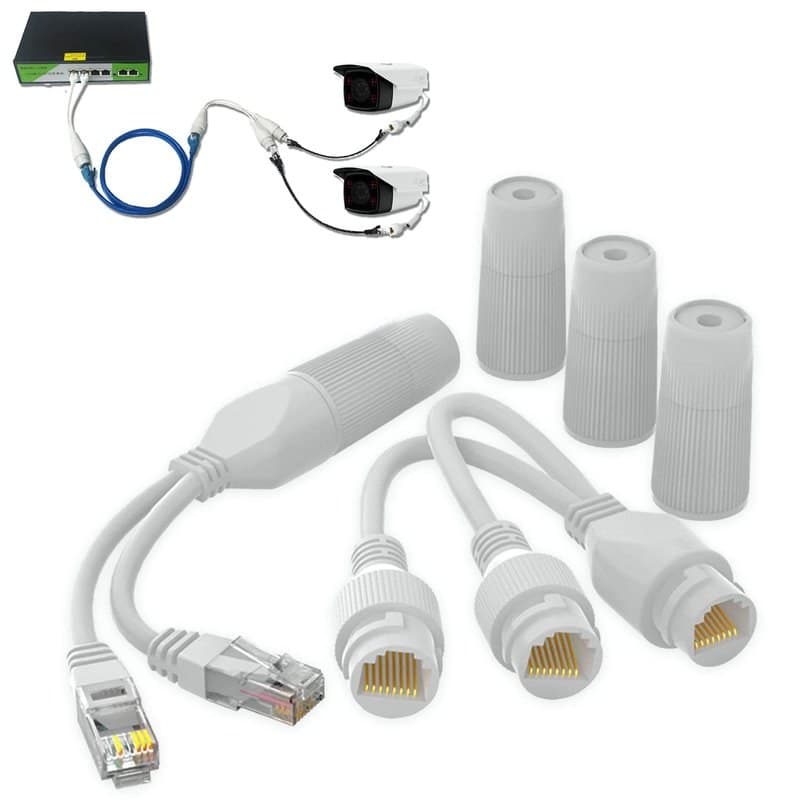
A PoE splitter takes the power and data from one PoE network cable and gives you two things at the far end: an Ethernet connection and a separate DC power lead. You need one when a camera has no PoE of its own but only a 12 V (or 9 V or 5 V) power socket, and the cable run to it comes from a PoE switch or injector. We do not list a PoE splitter of that kind. This guide explains how it works, what to match, and what we stock for the same job.
What a PoE splitter does
TP-Link's POE10R is a typical example. It lists 2× 10/100/1000Mbps RJ45 ports and a DC output cable. TP-Link says it fully complies with IEEE 802.3af, works with 802.3af PoE sources, and delivers 12 V, 9 V or 5 V direct current where there is no power line or outlet, for a device such as an IP camera. Its output is selectable, rated at 12 VDC 1 A, 9 VDC 1 A or 5 VDC 2 A (TP-Link POE10R page).
When you need one
Use a splitter when three things are true:
- The camera takes its power from a DC socket, not over its network port.
- You would rather run one network cable to the camera than a network cable and a power lead.
- The source at the other end is a PoE switch or injector. Our guide to PoE injectors and switches covers that end.
If the camera already supports PoE, you do not need a splitter: plug the cable straight in. A camera that has only a DC input will not run from PoE on its own, as we explain in our PoE voltage guide.
What to match
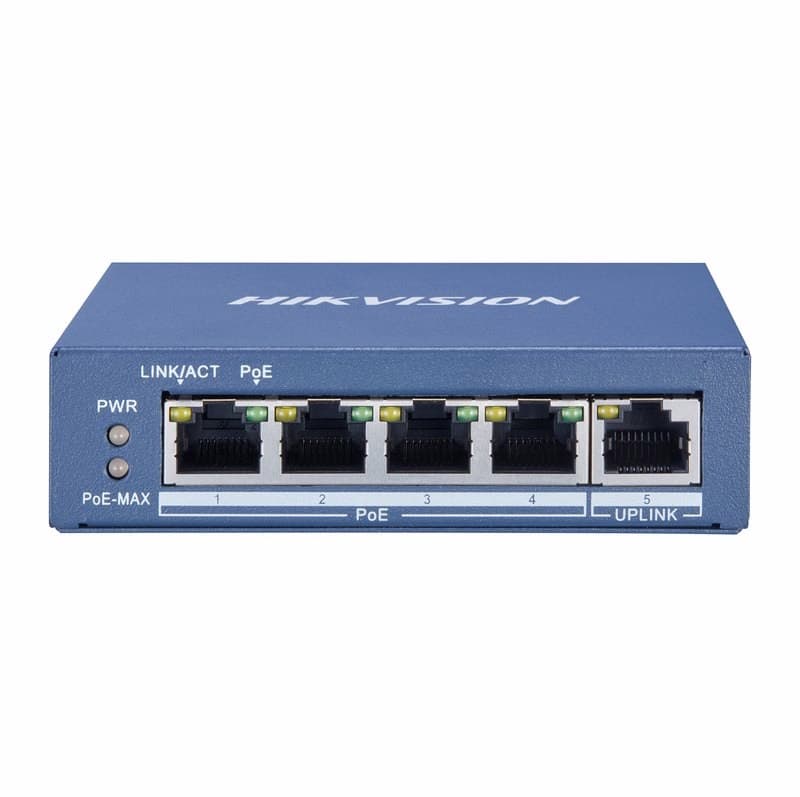
Read the camera's datasheet before you buy. First, the voltage: choose the output setting that matches the camera's rated input, not the nearest one. Second, the current: the 12 V setting on the POE10R is rated at 1 A, so check the camera's rated current against that figure. Third, the source: the splitter works with 802.3af power sources, so check that your PoE switch or injector supplies it. The Hikvision DS-3E0505P-E, for one, supports IEEE 802.3af and 802.3at.
What a splitter does not do
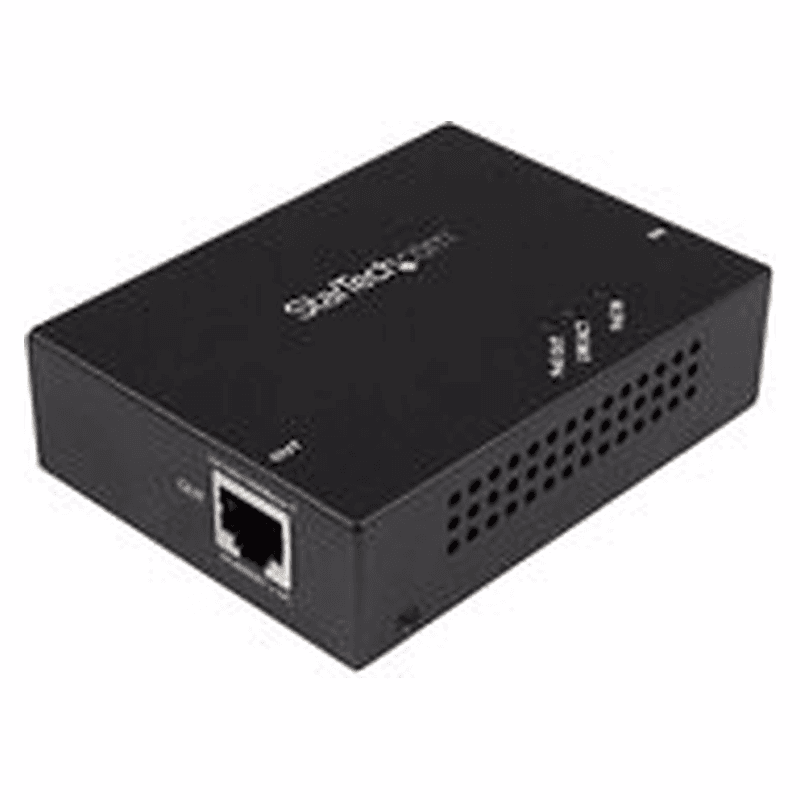
- It does not add distance. The cable from the PoE source to the splitter is still limited to 100 metres. For a longer route, see our PoE Extender 100m.
Splitter, injector or switch
Our Hikvision DS-3E0505P-E has four PoE ports at up to 30 W each. See the other PoE switches too.
Not the same as a cable splitter
Do not confuse a PoE splitter with a cable splitter. We list a set called the waterproof PoE Ethernet splitter adapter. It has a sender unit and a receiver unit, so you run one cable to two cameras that are near each other. You plug the sender into two open ports on the switch, and the receiver has weatherproof RJ45 connectors. It shares one cable between two cameras and only works on standard PoE network switches. If your camera needs a DC lead, ask us before ordering and we will help you find the right route.
If you would rather power a 12 V camera from a mains supply, see our power supplies.
Parts named here
- Part number POE-EXTENDER-100MGigabit PoE Extender 100m, RJ45 PoE Repeater, IEEE 802.3af and 802.3at
- Part number DS-3E0505P-EHikvision DS-3E0505P-E 4-Port Gigabit PoE Unmanaged Switch, 60W PoE Budget
- Part number Ethernet-Splitter-adapter-RJ45-Waterproof-PoEWaterproof PoE Ethernet Splitter Set, RJ45, Runs 2 IP Cameras on 1 Cable
Frequently asked questions
What does a PoE splitter do?
It takes power and data from a PoE cable and gives a data connection plus a DC power lead, so a non-PoE camera can run from one cable.
Does a PoE splitter extend the cable length?
No. The run from the PoE source to the splitter is still limited to 100 metres. A PoE extender adds distance.
Do you sell a PoE splitter with a 12V output?
No, we do not list one. We stock PoE switches, a PoE extender and a waterproof splitter set for two cameras. Ask us before ordering if you need a 12 V lead.
Sources & references
Part types on this subject
- PoE splitter
- PoE
- 12V camera
- IP cameras
- PoE switch
Written by
CCTV Gear team