
Buying guides
CCTV Tester: Cable Tester or Camera Tester for Installs
A cable tester checks wiring. A CCTV camera tester powers a camera and shows its picture. Here is which one to use for which job, and how to test before final fixing.
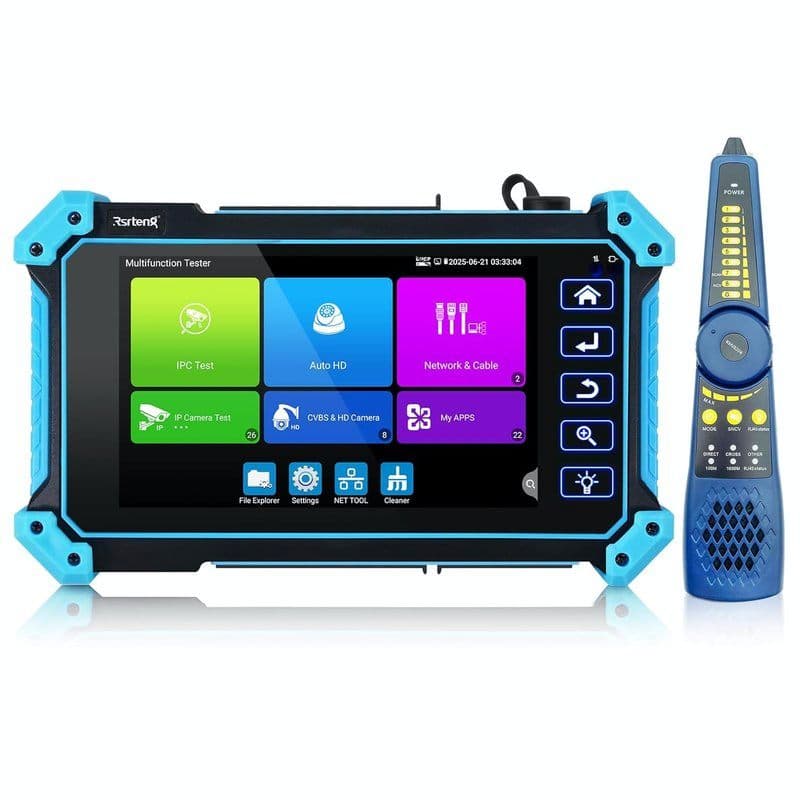
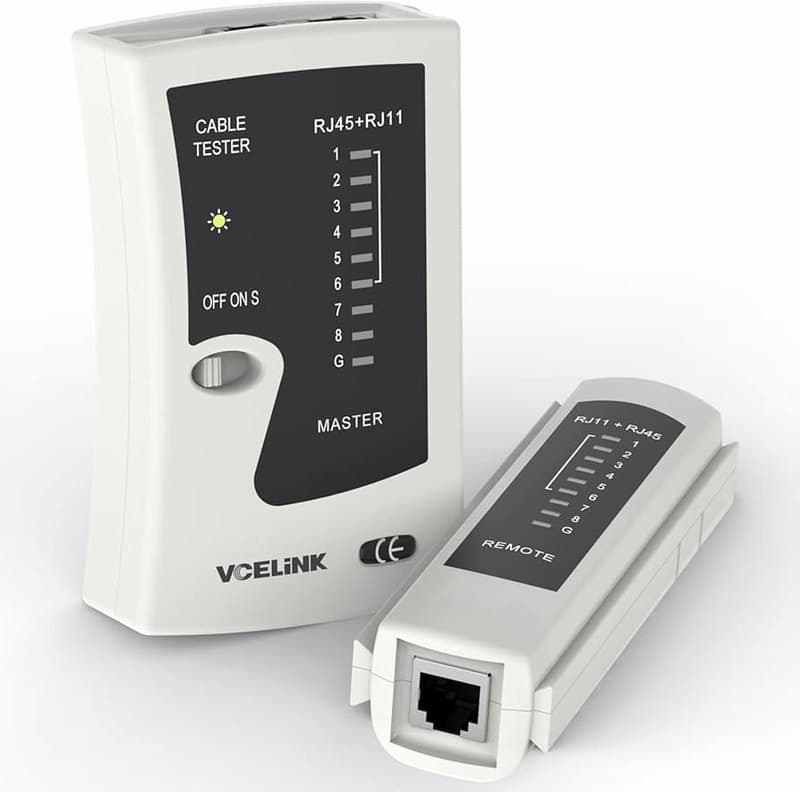
A cable tester checks the wires inside a cable: it tells you whether each conductor is joined end to end, shorted, reversed or crossed. A CCTV camera tester does something different. It powers a camera, shows its picture on a screen and reads IP, HD-TVI, CVI, AHD and CVBS signals. So use a cable tester to prove a run or a freshly crimped lead is wired correctly, and a camera tester to prove a camera works and looks right before it is fixed up. Many fitters keep both in the bag, because they answer different questions.
What goes wrong on a CCTV install
Most callbacks come from a few faults. A camera shows no picture at all, or the link drops in and out. The cause is usually one of three things: a plug crimped with a wire in the wrong place, a cable damaged while it was pulled through, or a camera that was never working. Fixing a camera to a wall and running cable to the recorder before you know which of those you have is how a short job turns into a long one.
Testing at the start separates the faults. If the cable passes and the camera shows a picture on the bench, the problem is somewhere else, such as the recorder or its settings.
Cable tester or camera tester?
| Question | Cable tester | CCTV camera tester |
|---|---|---|
| What it checks | Wiring: open circuits, shorts, reversed and crossed wires | The camera itself, shown as a live picture |
| Cable types | The HM-C102 takes RJ45 and RJ11 leads, for Cat5, Cat6 and Cat7 network cable | The IPC-5100C Plus has a cable tracer for network and CCTV cabling |
| Camera types | None: it never sees a picture | IP, HD-TVI, CVI, AHD and CVBS |
| Powers the camera | No | PoE output for compatible IP cameras |
| Screen | Indicators on the unit | 5.4 inch colour display, with HDMI and VGA output for a bigger monitor |
| Use it when | You have crimped a plug or pulled a new run | You need to know a camera works, or to aim and focus it |
Which one to buy for which job
If you only make up network leads and want to know each one is wired correctly, the HM-C102 network cable tester is enough. It finds the usual wiring faults in an RJ45 or RJ11 lead and does not need a camera or a recorder. Remember that it checks wiring only: it does not show a picture, and it does not tell you whether a camera is healthy.
If you fit cameras, or you are called out to a system with no picture, the Rsrteng IPC-5100C Plus camera tester is the one that answers the question. It shows the camera's own picture, handles both analogue and IP cameras on one site, and can power a compatible IP camera over PoE, so you need no switch or recorder nearby. Check your camera's power needs against the manufacturer's data first, and ask us before ordering if you need to know the output rating.
How to test before you fix everything in place
Testing the cable
- Make up the plug on each end of the cable. Our guide to crimping an RJ45 plug for CCTV cable covers the wire order.
- Plug the cable into the tester and run the test.
- Read the result. A fault such as an open, a short, a reversed pair or crossed wires means you cut the plug off and crimp it again.
- For coax runs ending in BNC plugs, see crimp, twist-on or compression BNC connectors, and check the connector is fitted properly before you blame the camera.
Testing the camera
- Connect the camera to the tester with a short lead, before it goes on the wall.
- Choose the signal type that matches the camera: IP, HD-TVI, CVI, AHD or CVBS.
- Look at the picture. Check it is clear, the right way up and in focus.
- Fix the camera in place, then check the picture again at the final angle. If you have a longer run, use the cable tracer to identify and test the cable.
- Use the HDMI or VGA output if you want to show the customer the picture on a larger screen.
Only after both pass do you connect the recorder. If the picture then fails, you already know the cable and camera are good.
Browse the full range of testing tools for more installer equipment.
Parts named here
- Part number NETWORK-CABLE-TESTER-HM-C102NSS-468A Handheld LAN Tester, RJ45 and RJ11 Sockets, for Cat5, Cat6, Cat7 Ethernet and Phone Cable
- Part number CCTV-Tester-IPC-5100-PlusRsrteng IPC-5100C Plus 5.4" CCTV Camera Tester, IP TVI CVI AHD CVBS, PoE Output
Frequently asked questions
What does a CCTV tester test?
A CCTV camera tester shows a live picture from the camera. The Rsrteng IPC-5100C Plus reads IP, HD-TVI, CVI, AHD and CVBS cameras on a 5.4 inch colour screen.
Is a cable tester enough for CCTV?
It is enough to prove a network lead is wired correctly. It cannot show a picture or tell you whether a camera works, so a camera tester is the tool for that.
Can a CCTV tester power an IP camera?
The IPC-5100C Plus has PoE output for compatible IP cameras. Check your camera's power needs, and ask us before ordering if you need the output rating.
Part types on this subject
- CCTV tester
- cable tester
- camera tester
- testing tools
Written by
CCTV Gear team